Elveflow Smart Interface-Free Download

Skip to product information
1 of 4

ESI


Prices valid in USA, Canada, and PR only.

Download Software & SDK for Elveflow Smart Interface

Intuitive, powerful, and versatile control of Elveflow instruments

  • One software for all instruments
    • Control all Elveflow microfluidic instruments through the same interface
  • User-friendly
    • Get started within seconds
  • Workflow automation
    • Automate long and complex protocols thanks to our powerful scheduler
  • Easy software integration
    • C++, MATLAB, Python and LabVIEW libraries available


*Note: The ESI software is NOT compatible with Mac IOS devices


Details

One software for all instruments

The ESI can control up to 16 Instruments (OB1 pressure controllerflow rate and pressure sensorssets of valves and valves controller) via the same interface.

Thanks to the TTL triggers, you can synchronize your Elveflow® system with any other instrument in your laboratory (from microscopes to any electrical instrument, and more).

ESI controls

Intuitive interface

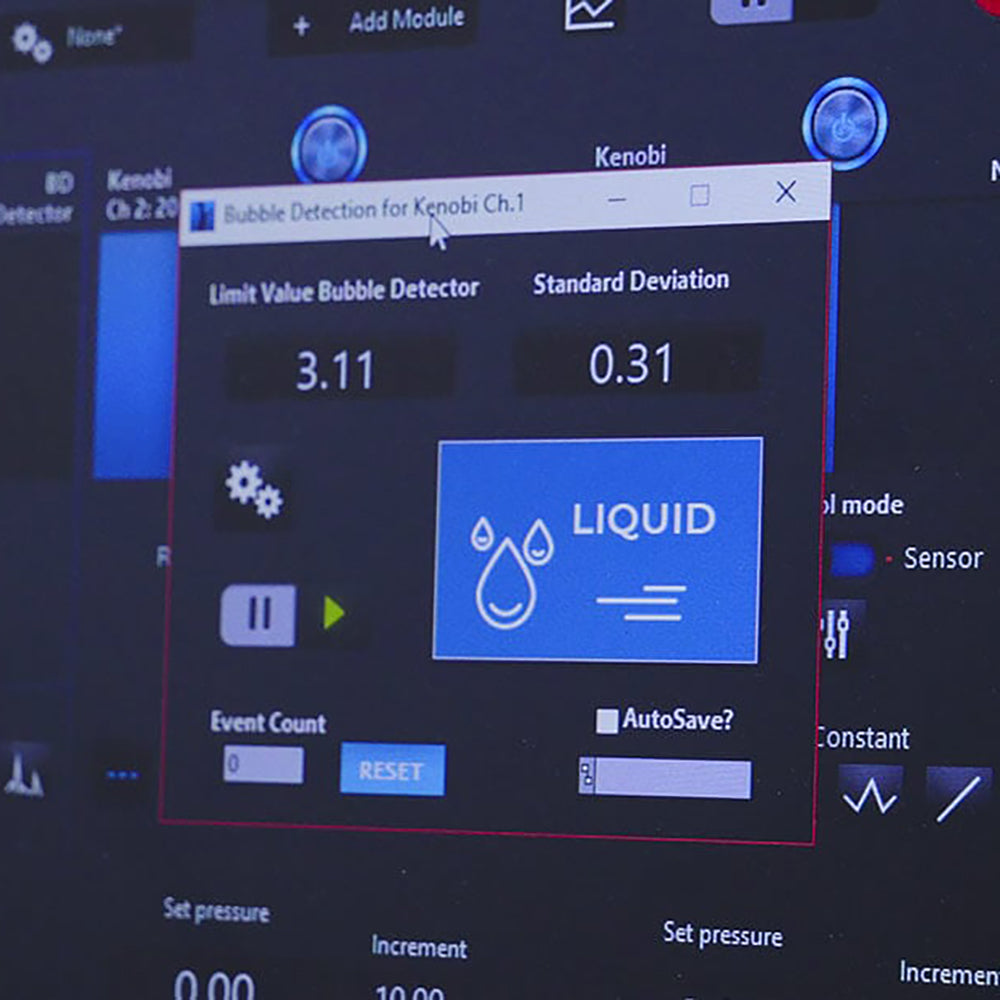
The intuitive interface of the ESI microfluidic software facilitates navigation from one instrument to another. Start from simple setups and add instruments (valves, sensors, etc) through the same interface. Even the most complicated setups can be controlled in just a few clicks!

A Play/Pause button allows changing pressure and flow channels, maintaining the current state of the controller while simultaneously adapting the system to the new settings.

 ESI software elveflow microfluidics

Workflow automation

  Sequencer SDK ESI

Built-in scheduler

The scheduler is a user-friendly tool that automates complex steps of your experiments and protocols.

Gain precious experimental time by:

  • creating or editing instrument configurations (pressure or flow rate profiles, valves positions, etc)
  • “dragging and dropping” each step to sequentially arrange them
  • controlling steps timing
  • building a complex sequence with loops (for) and conditions (if)
  • integrating your setup to a wider experimental environment using trigger signals (IN and/or OUT)
  • saving important data
  • using the play/pause button to create a file and record the progress of your experiment
  • saving and loading entire experiments.

 ESU scheduler sequence automation

Advanced Software Development Kit (SDK) control

Our package allows developers to integrate Elveflow systems into their own control programs. Those libraries enable fast & easy integration of our instruments to your lab project.

We provide the following libraries free of charge (with documentation and example codes):

C++ library, Python library,  MATLAB library,  LabVIEW library

Discover the ESI in video

Thanks to this video, you will learn how to use pressure-driven flow control with the Elveflow Software!

By coupling our pressure controller with one of our flow sensors, you can perform ultra precise and responsive pressure-driven flow control.

You can request a flow rate value in the Elveflow Software and the pressure controller will automatically adjust pressure to reach the requested value thanks to a customizable PID Feedback loop.


Resources

Download Elveflow Software & SDK

FAQ

Do I have to pay an extra charge to obtain the ESI?

Absolutely not, the ESI is free of charge with unlimited access. The software comes on a USB key with any instrument and can be download on this website.

Can I have access to the ESI's latest version?

New versions are released on a regular basis, they propose new and improved features. Good news, they are free of charge and can be downloaded directly from this page. You can also ask our support team (customer@elveflow.com) for it.

Can I use the ESI in Mac or Linux environment?

Unfortunately no, the ESI is only compatible with Windows.

Is it compulsory to use the ESI to control Elveflow instruments and sensors?

Absolutely not, free SDK libraries and documented code examples (in C++, Labview, Matlab and Python) are also available to control Elveflow instruments and sensors from your own code or software.

Specifications

Key features

  • Independent pressure control of each OB1 regulator channel (or flow control when connected to a flow sensor).

  • Easy addition and control of Elveflow valves, sensors, and accessories.

  • Real time intuitive Graph functionalities with customizable windows.

  • Create configurations to save and recall instrument settings and easily switch from one instrument state to another (works with keyboard shortcuts).

  • Record any data (.txt files) in a user-defined time interval up to 100Hz. Data are saved continuously to optimize computer active memory for long run experiments.

  • Visualize your data by generating real-time graph display (pressure, flow rate, etc).

  • Software in English.

Minimum system requirement

  • Processor:  3.0 GHz Pentium 4

  • RAM: 1 GB

  • USB 2.0

  • 1 GB of free hard disk space

  • OS Compatibility : Windows 10, Windows 8.

compatibility ESI windows